Computer Vision Syndrome: Why Your Desk Job Hurts Your Eyes
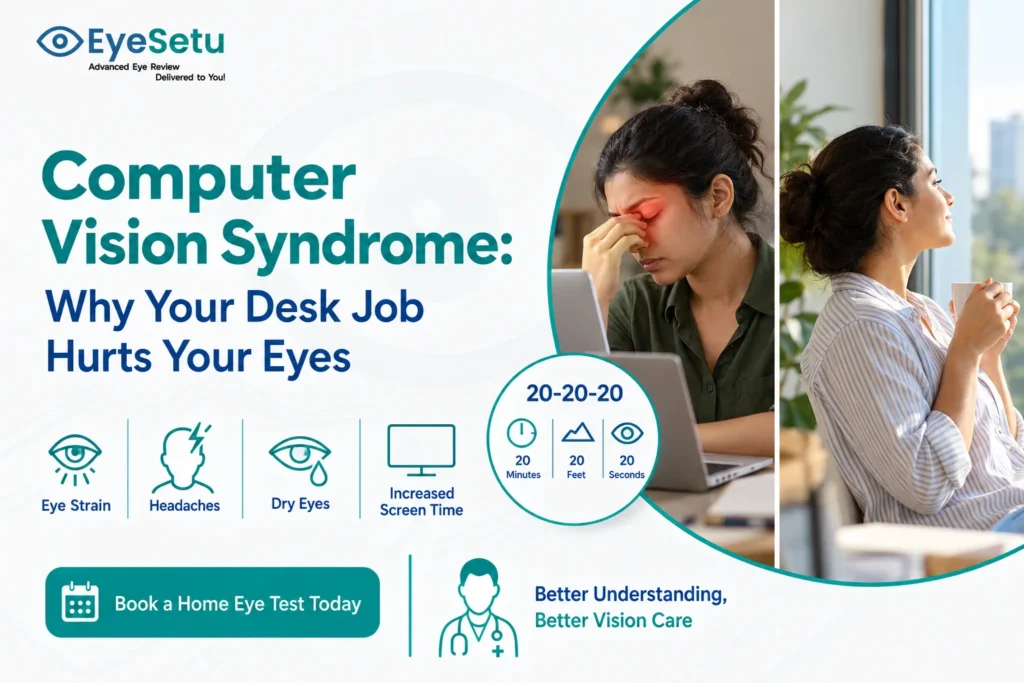
Computer vision syndrome, also called digital eye strain, is the tired, dry, blurry feeling your eyes get after long hours on screens. It often comes with headaches and a stiff neck, and for most people it gets better with the right glasses, a better desk setup and regular breaks.
It usually starts around 4 pm. The spreadsheet that looked fine at 10 am now seems slightly fuzzy, your eyes sting a little, and there’s a dull ache sitting just behind your forehead. You blame the long day, rub your eyes and carry on.
If that sounds like most of your weekdays, you’re far from alone. A review in BMJ Open Ophthalmology estimated that digital eye strain may affect 50% or more of computer users. With hybrid work, phones on the commute and a laptop open again after dinner, many people in Delhi NCR now spend 10 or more hours a day looking at a screen.
The good news is that this kind of strain is rarely dangerous, and most of the fixes are simple. The catch is that a few of the symptoms overlap with problems that do need an eye exam, so it helps to know the difference.
Computer vision syndrome symptoms to look out for
The American Optometric Association lists these as the most common signs:
• Eyestrain: eyes that feel heavy, sore or tired by the end of the day
• Headaches: usually around the forehead or temples, often worse in the evening
• Blurred vision: text that drifts in and out of focus, or a slow refocus when you look up from the screen
• Dry, burning or gritty eyes: sometimes, oddly, with watering
• Neck and shoulder pain: from leaning in to see the screen better
A useful clue is timing. Symptoms that build through the workday and ease after a night’s sleep point strongly towards screen strain. Symptoms that are there first thing in the morning, or that keep getting worse week after week, deserve a proper check.
Why screens are so hard on your eyes
Your eyes are not built for eight straight hours at arm’s length. Three things work against them at a desk.
You blink far less. When you concentrate on a screen, your blink rate drops sharply, and many of the blinks you do make are incomplete. Each blink spreads a fresh layer of tears across the eye. Fewer blinks mean the surface dries out, which is why your eyes feel gritty by evening. Office air conditioning makes this worse.
Your focusing muscles never get a break. Looking at anything close requires a small muscle inside the eye to stay contracted. Hold that for hours and it fatigues, just like your arm would if you held a bag at shoulder height all day. That fatigue shows up as blur and headaches.
Small vision problems get louder. A mild, uncorrected power, a little astigmatism, or the early near-vision changes that begin around 40 might not bother you during normal life. On a screen, for hours, your eyes work overtime to compensate. This is one of the most common reasons people with “perfect eyesight” still struggle at work.
Glare from windows, a screen placed too high, small fonts and low contrast all add to the load.
What actually helps: fixes that work
1. Get your prescription checked first
Before buying special glasses or eye drops, rule out the simplest cause. An outdated or never-diagnosed power is behind a large share of screen-related strain. If you wear glasses that are more than a year or two old, or have never had a full eye test as an adult, start there. An EyeSetu eye test at home covers vision, refraction and eye muscle balance in about 20 to 30 minutes, without taking half a day off work.
Some people benefit from a separate pair of “computer glasses” set for screen distance, especially after 40. That’s something an eye examiner can advise on once they’ve measured your eyes.
2. Set up your screen properly
• Keep the screen roughly an arm’s length away, about 50 to 70 cm.
• Position the top of the screen at or slightly below eye level, so you look slightly down. The AOA suggests the centre of the screen sits about 15 to 20 degrees below eye level.
• Reduce glare. Put the screen at a right angle to windows, and dim the overhead light if it reflects off the display.
• Increase the font size. If you’re leaning in to read, the text is too small.
• Match screen brightness to the room. A bright screen in a dark room, or a dull screen by a sunny window, both make your eyes work harder.
3. Take real breaks
The best-known habit is the 20-20-20 rule: every 20 minutes, look at something about 20 feet away for 20 seconds. Our ophthalmologist has written a separate piece on whether the 20-20-20 rule actually works and how to make it stick in an Indian office. The short version: it helps, but only if you do it consistently, and a longer break away from all screens every couple of hours helps even more.
4. Blink on purpose and look after the eye surface
When you take a break, close your eyes gently for a couple of seconds, then blink fully a few times. Point AC vents and desk fans away from your face. If your eyes still feel dry, preservative-free lubricating drops can help, but it’s worth asking an eye doctor before using any drops daily for weeks.
5. Don’t rely on blue-light glasses alone
Blue-light-blocking lenses are heavily marketed, but the American Academy of Ophthalmology does not recommend them for eye strain, because there is no good evidence that blue light from screens damages the eyes. The strain comes from how you use the screen, not the colour of its light. Late-night screen time can affect sleep, though, so a night mode in the evening is still a reasonable idea.
When eye strain is a sign of something else
See an eye doctor rather than waiting it out if you notice:
• Blurred vision that doesn’t clear after rest or sleep
• Double vision, or one eye seeing differently from the other
• Headaches that are severe, new or getting steadily worse
• Eye pain, significant redness or sensitivity to light
• Strain that continues even after you’ve fixed your setup and taken breaks for a few weeks
These can point to an uncorrected prescription, an eye muscle coordination problem, significant dry eye or, occasionally, something that needs treatment. None of these are reasons to panic, but they are reasons to get checked.
Making it easy to get your eyes checked
The biggest barrier for most working people isn’t cost. It’s time. Between traffic, waiting rooms and meetings, the eye test keeps getting pushed to next month. That’s the gap EyeSetu was set up to close: a trained optometrist comes to your home with portable diagnostic equipment, and your results are reviewed with an ophthalmologist on the same day.
If your eyes feel worn out by Friday every week, book an eye test at home across Delhi or Gurugram and find out whether it’s your screen, your glasses, or both.
Frequently asked questions
What are the main symptoms of computer vision syndrome?
Tired or sore eyes, headaches, blurred vision, dry or burning eyes, and neck or shoulder pain after long screen use. Symptoms usually build through the day and ease after rest.
Is computer vision syndrome permanent?
No. It does not cause permanent damage in most people, and symptoms usually settle once the cause is addressed: correct glasses, a better screen setup, regular breaks and treating any dryness.
Do blue-light glasses help with digital eye strain?
There’s no strong evidence that they do. The American Academy of Ophthalmology does not recommend them for eye strain. Breaks, blinking, proper lighting and an up-to-date prescription matter more.
How often should screen workers get an eye test?
Every one to two years is a sensible baseline for adults, and sooner if you notice new blur, frequent headaches or strain that doesn’t improve with simple changes.
Medically reviewed by Dr. Shikha Gupta, MBBS, MD (Ophthalmology), AIIMS New Delhi. Co-founder & CEO, EyeSetu. 15+ years in clinical ophthalmology and telemedicine.
Eyes worn out by Friday every week? Book an eye test at home or call +91-9899118310, and we’ll help you find out whether it’s your screen, your glasses, or both.
This article is for general education and does not replace a personal eye examination.